
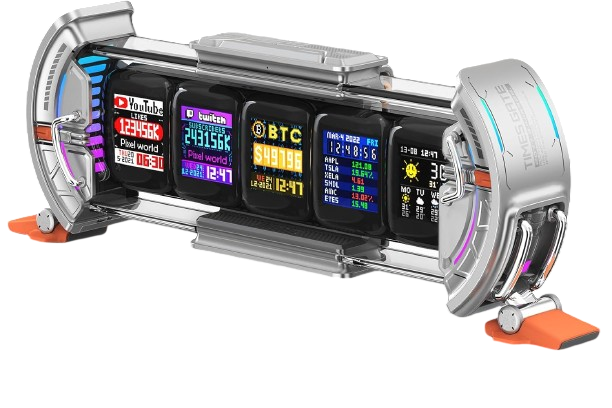
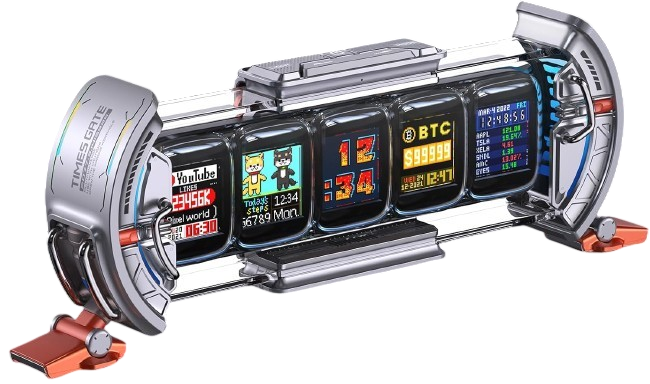
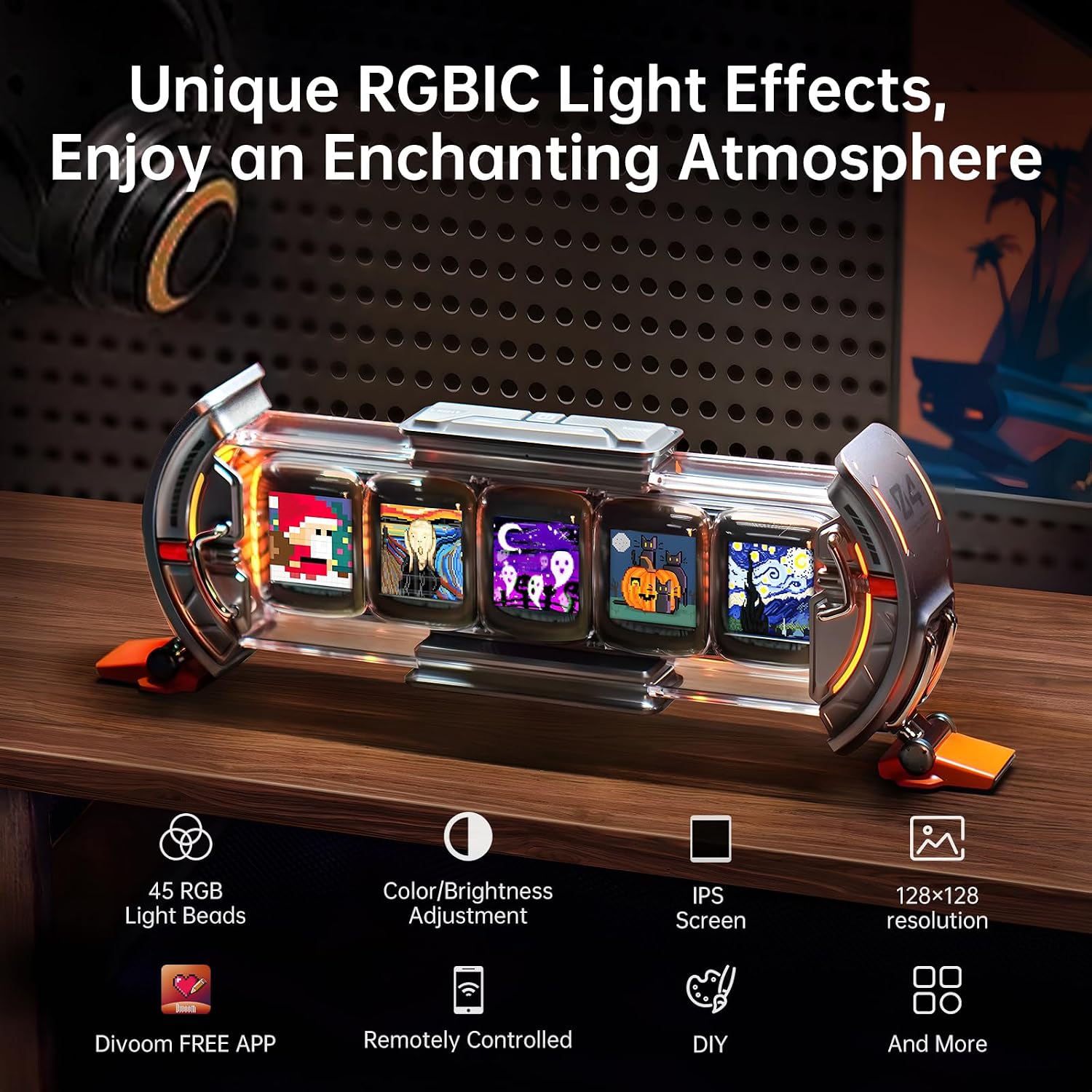
The Divoom Times Gate is a futuristic desktop information display featuring five independent full-color 128 × 128 LCD screens. Each screen can show pixel art, animated GIFs, clocks, weather, calendars, social-media statistics, stock/crypto data, and other customizable widgets. Controlled through the Divoom Smart App over 2.4GHz Wi-Fi, it combines productivity features with customizable pixel art and RGB ambient lighting for a unique gaming or workspace setup.
Features five individual full-color LCD screens arranged in a futuristic desktop display. Each screen can present different visuals or information, letting you create a personalized dashboard for your gaming setup, office desk, or streaming station.
Each screen features a 128 × 128-pixel resolution, suitable for displaying colorful pixel graphics, small animations, icons, and compact information widgets with a retro digital aesthetic.
Personalize the display with pixel art designs using the Divoom app. Choose from existing artwork or create your own designs to match your room, gaming setup, favorite themes, or personal style.
Display animated GIFs and supported animations across the screens to bring your desktop setup to life. You can change the displayed artwork whenever you want to refresh your setup’s appearance.
Use the Times Gate as a stylish digital clock. Depending on the selected widget and app configuration, you can customize how time information appears alongside your other desktop visuals.
Display weather information through supported app widgets, helping you check current conditions and weather updates directly from your desk without opening another device.
Use calendar and date widgets to keep important dates and everyday information visible. This adds a practical productivity element to the display, alongside its decorative pixel art features.
Show supported social-media and creator statistics, such as follower or subscriber counts, depending on the available app widgets and connected services. This can be especially useful for streamers and content creators who want a live-looking stats display.
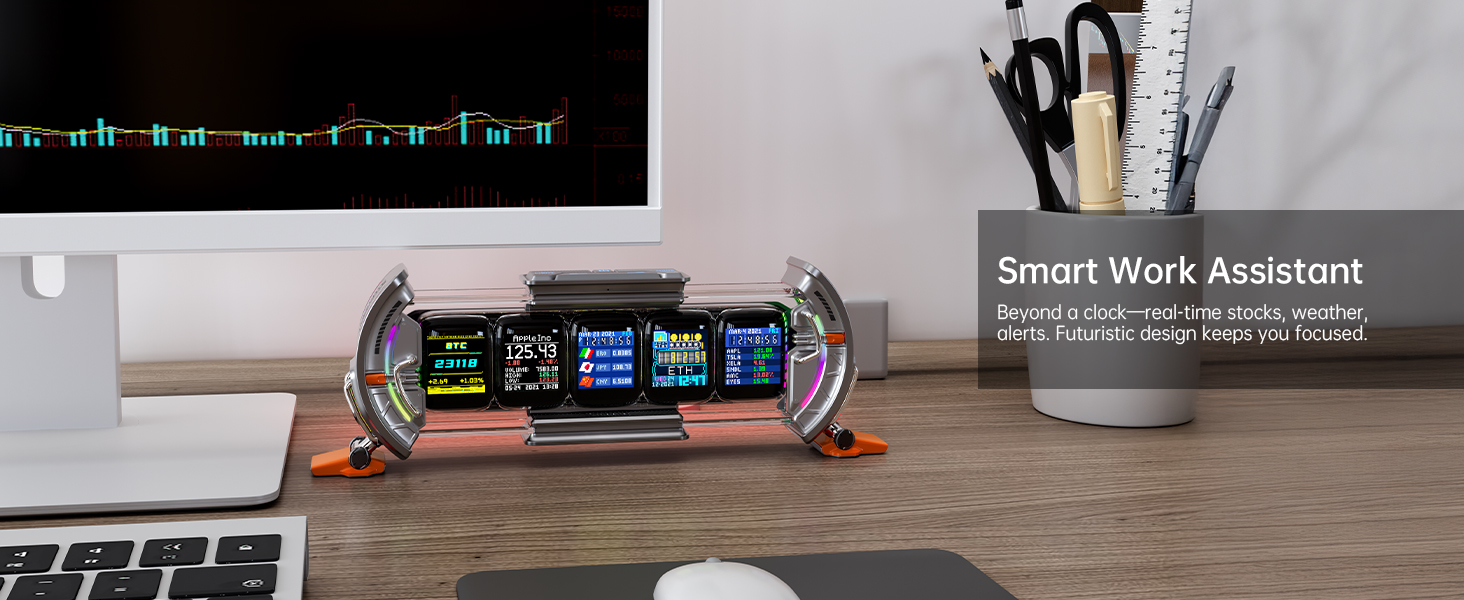
Use supported financial widgets to monitor selected stock-market or cryptocurrency information. Available data and update options depend on the app, supported services, and network connection.
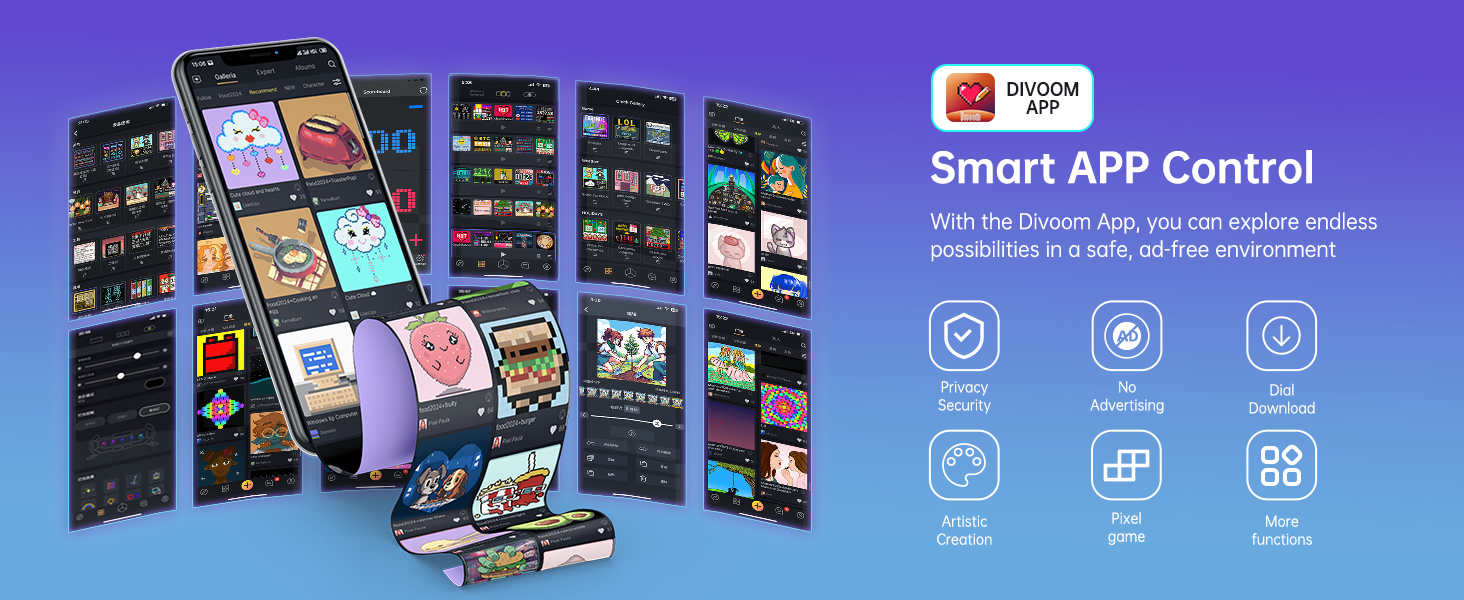
Configure the display through the Divoom smartphone app. The app provides access to supported display modes, artwork, widgets, lighting settings, and personalization options, making it easier to change the screen content without manually adjusting each display.
Display time information for different time zones using supported world-clock widgets. This is useful for international work, remote teams, streaming schedules, or keeping track of friends and family in other countries.
Enhance your desk with integrated ambient lighting along the display’s edges. The lighting adds a colorful glow to your workspace and complements RGB keyboards, gaming mice, and other desktop accessories.
Choose from 12 lighting effects to personalize the atmosphere around your setup. Match your preferred colors or create a coordinated gaming-room aesthetic.
Use supported productivity features to make the Times Gate more than a decorative display. It can help keep daily information visible through task-management widgets, countdown timers, and notifications.
Display countdowns for gaming sessions, work tasks, events, or personal milestones. This makes it easier to keep track of upcoming activities without switching between apps.
Use supported task features to organize reminders and everyday activities. Keep useful information visible on your desk while working, studying, gaming, or creating content.
Receive supported notifications and information updates through the app-connected display. Available notification types depend on the app’s current functionality and connected services.
Explore a large community library of user-created pixel art, animated designs, clock faces, and other display content. Download compatible designs through the app and personalize the Times Gate without having to create every graphic yourself.
Create your own pixel designs using the Divoom app’s editing tools. Customize graphics, text, colors, and animations to build a display that reflects your personality or brand.
Customize the five screens individually to create a multi-panel dashboard. For example, one screen can show the time, another the weather, another social statistics, and the remaining screens can display pixel art or other supported widgets.
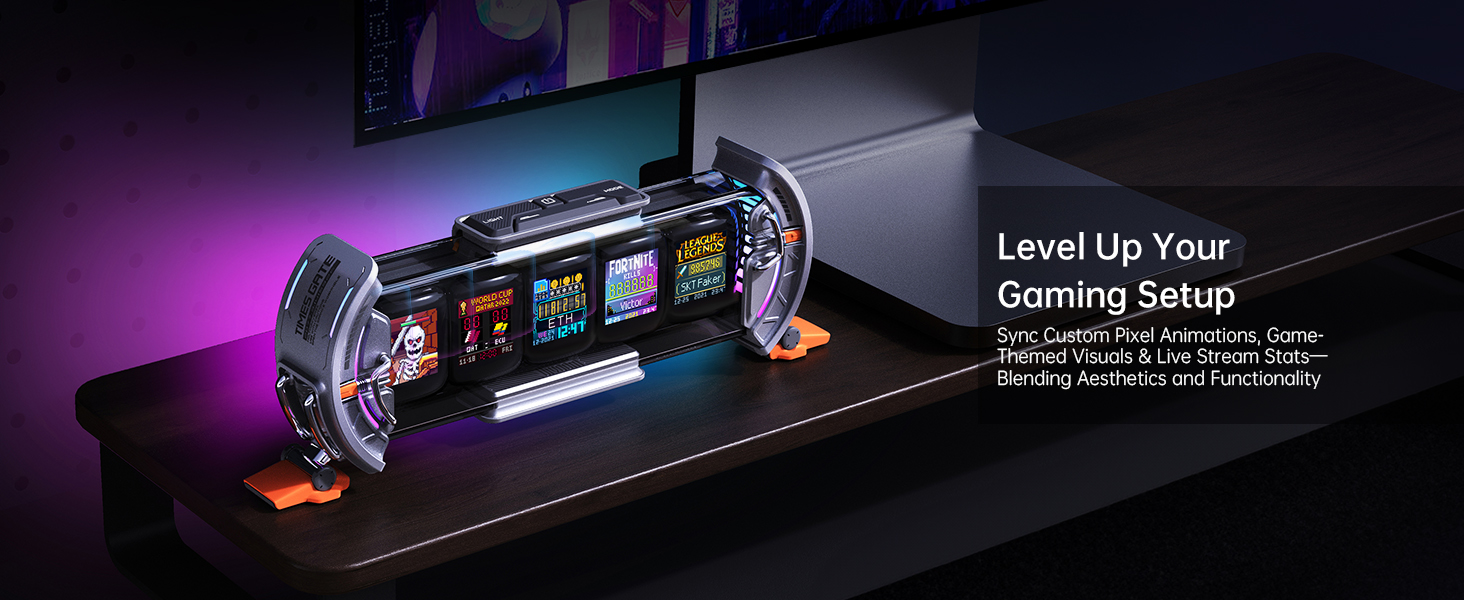
The Times Gate adds a distinctive futuristic look to gaming desks and streaming stations. Combine animated pixel visuals, game-related statistics, RGB lighting, and other supported widgets to complement your gaming equipment.
Streamers and content creators can use supported social-media and channel statistics to monitor audience growth and engagement. It provides a dedicated visual display without needing to keep a statistics page open on a computer monitor.
Display supported stock prices and cryptocurrency information through compatible data widgets. This is useful for keeping selected market information visible while working, although the display should not be treated as a substitute for a dedicated trading platform.
Connect the device to a compatible 2.4GHz Wi-Fi network for setup, app control, content synchronization, and supported online information. It uses Wi-Fi rather than Bluetooth, so a suitable Wi-Fi connection is required for its smart features.
The Times Gate requires continuous USB power to keep its screens and lighting operating. It has no built-in rechargeable battery, making it suitable for a permanent desktop setup rather than portable use.
With dimensions of approximately 283 × 47 × 97 mm, the Times Gate fits neatly on a desk, shelf, or gaming workstation. Its elongated, multi-screen design provides a distinctive futuristic appearance without requiring a large amount of desktop space.
The Times Gate is available in color options including Silver, Pink, and Yellow, depending on the retailer and stock availability. Choose a finish that complements your desktop, gaming room, or office decor.
Use the Times Gate as a combination of digital clock, information dashboard, pixel art display, and ambient lighting accessory. It is suited to gaming setups, home offices, streaming stations, creative workspaces, and technology-themed rooms.

 Divoom Times Gate Pixel Art Info Display
৳ 3,500 Original price was: ৳ 3,500.৳ 2,990Current price is: ৳ 2,990.
৳ 4,500 Original price was: ৳ 4,500.৳ 3,500Current price is: ৳ 3,500.
Drops, deals and pre-order windows — straight to your inbox. No spam, ever.
Premium authentic peripherals, monitors, audio systems, and cables directly for Bangladeshi tech builders.
Accessories
Peripherals
Desktop
Laptop Gear

© 2026 Tekflip. All rights reserved.
Premium authentic peripherals, monitors, audio systems, and cables directly for Bangladeshi tech builders.

Reviews
There are no reviews yet